
Specimen Imaging Documentation
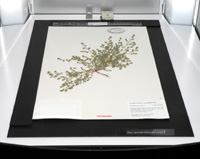
These documents describe the technology and workflows used by the Consortium for imaging specimens at regional herbaria. The instructions and downloads below should be sufficient to replicate our setup elsewhere, although modifications may be required.
Multiple methods of imaging specimens exist. Our selection of equipment was determined by cost, ease of use, and efficiency. Likewise, there are multiple formats for archiving images and displaying these online, and the methods we use are not the only option.
Multiple methods of imaging specimens exist. Our selection of equipment was determined by cost, ease of use, and efficiency. Likewise, there are multiple formats for archiving images and displaying these online, and the methods we use are not the only option.
A sample image captured using our setup is accessible here: http://www.pnwherbaria.org/portal/gmapviewer.php?Image=WTU000790. We use the image viewer created for the Rocky Mountain Herbarium's web site. Documentation and source code for this viewer are available through the RM Herbarium.
Documentation:
- Overview of image capture and processing (PDF, 0.4 MB)
A general description of the complete life cycle of image capture, processing, and online display. These steps include image capture within each herbarium, transfer of images to the Consortium's server, image processing and archiving, creation of corresponding database records, and online display of images.
- Custom Imaging Components (PDF, 1.7 MB)
Provides instructions for building the custom components for use with our imaging equipment, including the camera mount. These instructions are specific to our use of a lightbox and digital SLR.
- Documentation for Imaging Personnel (PDF, 3.7 MB)
Intended for use by personnel doing the imaging. Describes configuration of imaging equipment, the imaging workflow from the perspective of those doing the imaging, how to send images to the Consortium, and moving equipment between collections.
Downloads:
- Documents (Zip Archive, 6.2 MB)
Contains all the documentation for imaging, including documents not accessible above such as ruler templates and lightbox labels.
- Imaging Computer Configuration (Zip Archive, 9.9 MB)
Contains the folder hierarchies, Python scripts, and documentation as deployed to each imaging workstation computer.
- Server Configuration (Zip Archive, 24 KB)
Contains the folder hierarchies and Python scripts as used on the server for image processing and storage.

